OAuth 2.0 and OpenID Connect: which flow for which client?
Authorization code with PKCE for anything with a user (web, SPA, mobile, desktop), client credentials for machine-to-machine, the device flow for TVs and CLIs. The implicit and password grants are retired. OAuth is about access to APIs; OpenID Connect adds who the user is. Diagrams of each flow.
The verdict, which each flow below earns:
- A user is involved (web app, single-page app, mobile, desktop): authorization code flow with PKCE. Always.
- No user (a backend calling another backend, a cron job): client credentials.
- A device with no browser or keyboard (TV, CLI, IoT): device authorization flow.
- Never the implicit flow or the resource-owner password grant. Both are left out of OAuth 2.1, the IETF’s consolidated update to OAuth 2.0, and ruled out by the OAuth security best practice, RFC 9700, because they leak tokens or teach users to type passwords into third-party apps.
- OAuth grants access to APIs. OpenID Connect (OIDC) is a layer on top that also tells the app who signed in, with an ID token. “Sign in with Google” is OIDC.
Case file
The case Stolen tokens, intercepted codes, users logged into someone else’s account Suspects Implicit flow, resource-owner password grant Culprit Tokens in the browser and passwords typed into third-party apps The fix Code + PKCE with a user, client credentials without, device flow for TVs and CLIs Evidence OAuth 2.1, RFC 9700, the security best practice
The case #
OAuth has a reputation as a locked room full of acronyms. Tokens get stolen, codes get intercepted, users get logged into someone else’s account, and every flow seems to have a step whose purpose nobody remembers. But underneath the acronyms is a handful of small, well-aimed ideas, each one answering a specific crime. Once you see what each flow is protecting against, the choice for each client becomes obvious.
Authorization code + PKCE #
This is the flow you’ll meet most, so let’s walk the scene step by step:
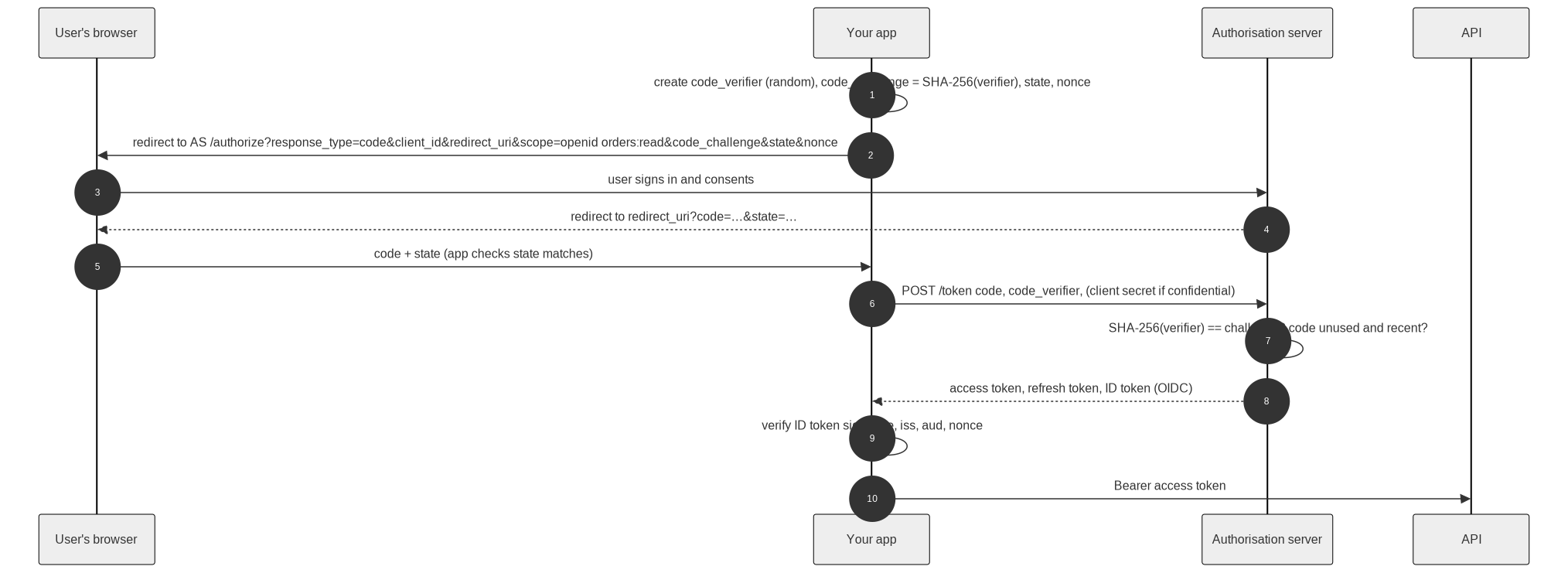
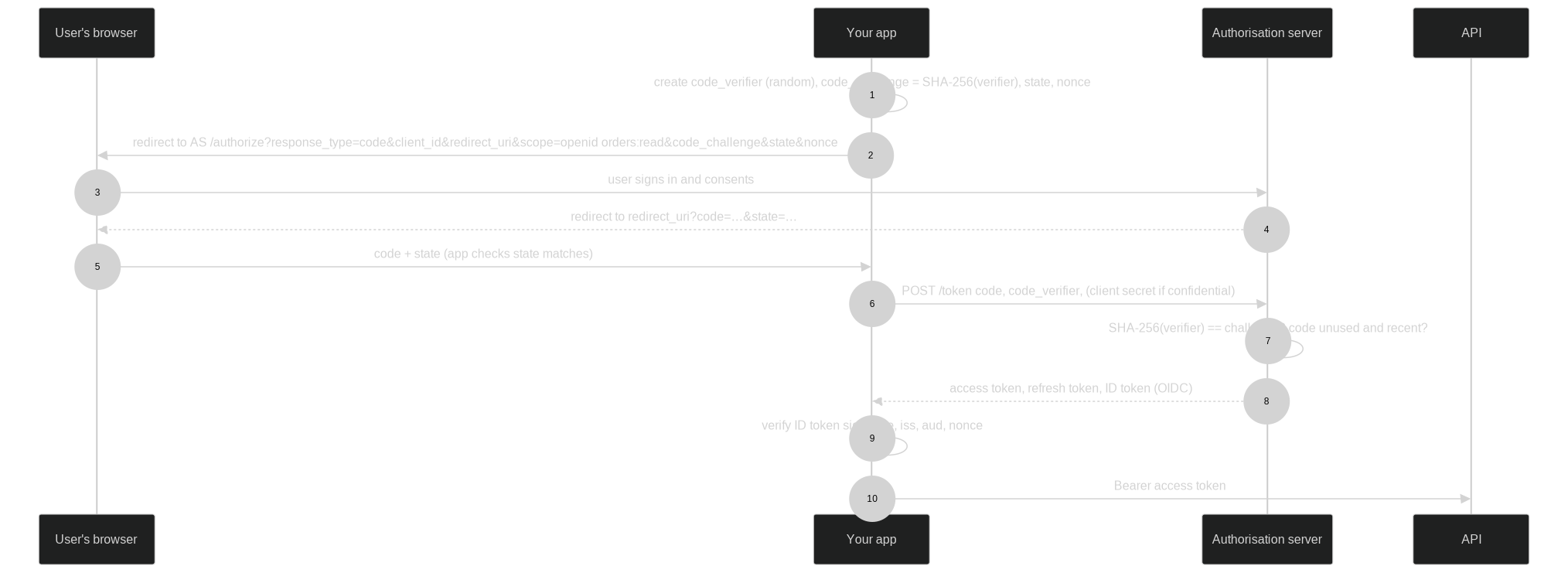
Diagram source
sequenceDiagram
  autonumber
  participant U as User's browser
  participant App as Your app
  participant AS as Authorisation server
  participant API as API
  App->>App: create code_verifier (random), code_challenge = SHA-256(verifier), state, nonce
  App->>U: redirect to AS /authorize?response_type=code&client_id&redirect_uri&scope=openid orders:read&code_challenge&state&nonce
  U->>AS: user signs in and consents
  AS-->>U: redirect to redirect_uri?code=…&state=…
  U->>App: code + state (app checks state matches)
  App->>AS: POST /token code, code_verifier, (client secret if confidential)
  AS->>AS: SHA-256(verifier) == challenge? code unused and recent?
  AS-->>App: access token, refresh token, ID token (OIDC)
  App->>App: verify ID token signature, iss, aud, nonce
  App->>API: Bearer access token
- The code travels through the browser; the tokens don’t. The code is useless without the step-6 exchange.
- PKCE (Proof Key for Code Exchange) stops a stolen code from being exchanged: only the app that created the verifier can redeem it. This is my favourite twist in the whole story: the app publishes a hash up front and reveals the secret behind it only at the end, so anyone who intercepted the middle has nothing to redeem it with. Originally for mobile apps, now recommended for every client.
statestops CSRF (cross-site request forgery, see the CSRF case) on the redirect (an attacker logging you into their account);noncebinds the ID token to this sign-in.- Redirect URIs must match exactly, registered in advance; open redirect handling is a classic way to steal codes.
Client credentials #
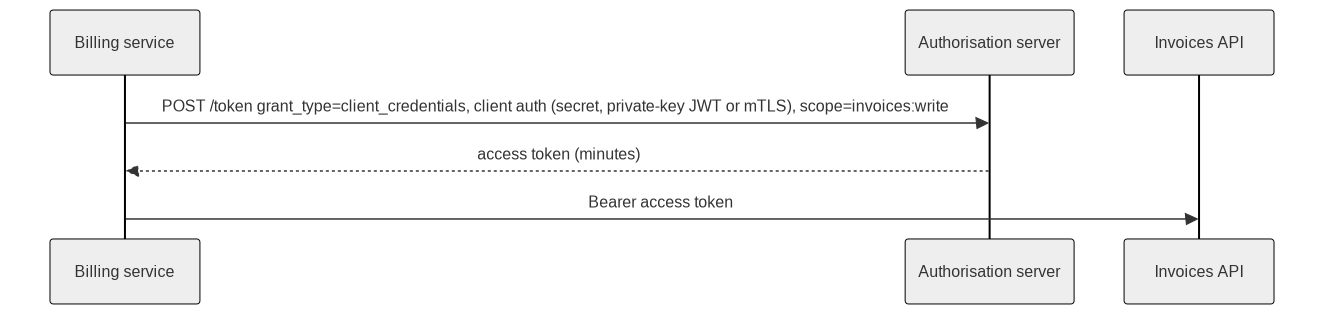
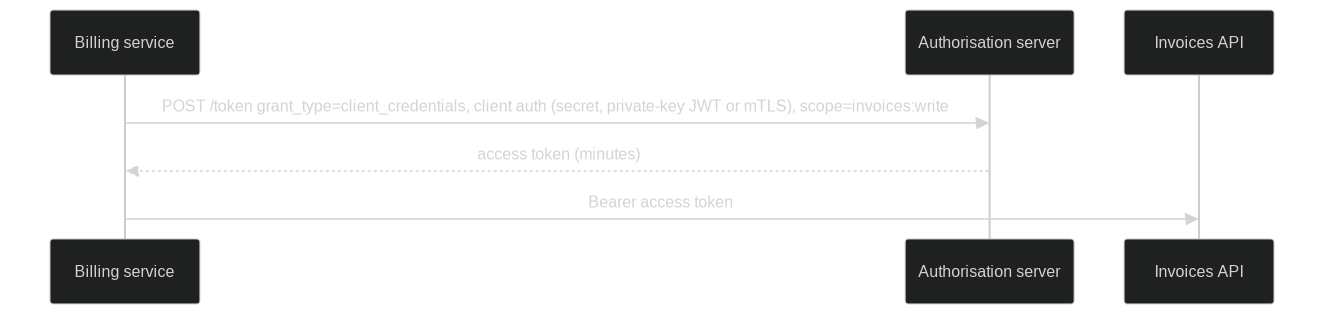
Diagram source
sequenceDiagram
  participant S as Billing service
  participant AS as Authorisation server
  participant API as Invoices API
  S->>AS: POST /token grant_type=client_credentials, client auth (secret, private-key JWT or mTLS), scope=invoices:write
  AS-->>S: access token (minutes)
  S->>API: Bearer access token
No user, no refresh token: the service asks for a new access token when the old one expires. Prefer private-key JWT or mTLS client authentication over shared secrets where the server supports them (service authentication case).
Device authorization flow #
This one is built for awkward hardware, and its solution is charming in its modesty. The device hands the hard part, signing in, to a phone that’s good at it:
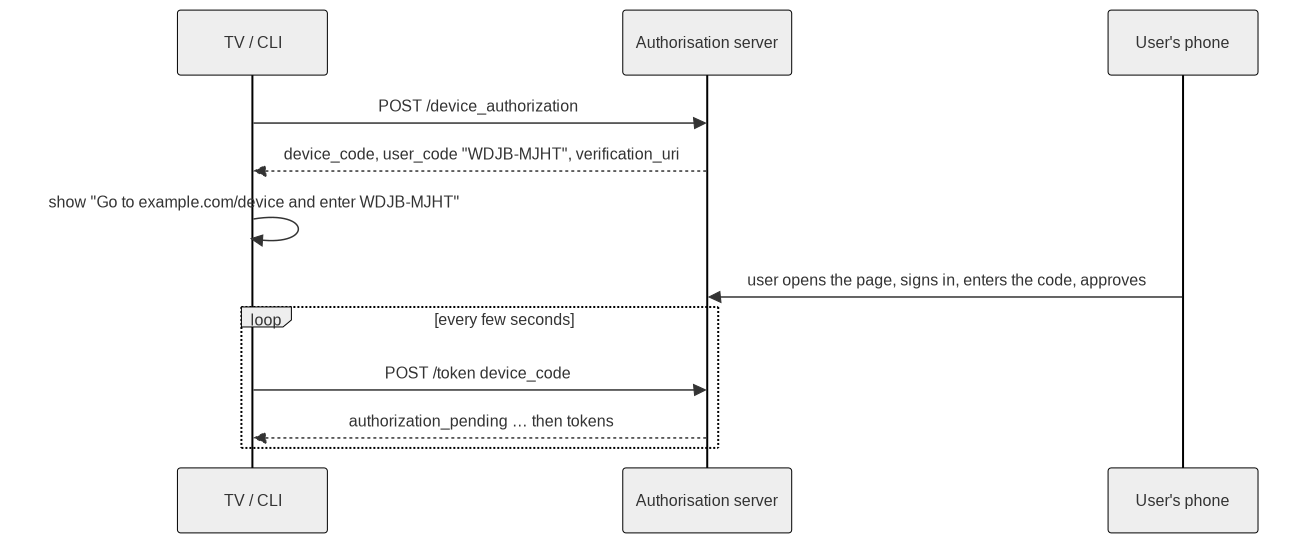
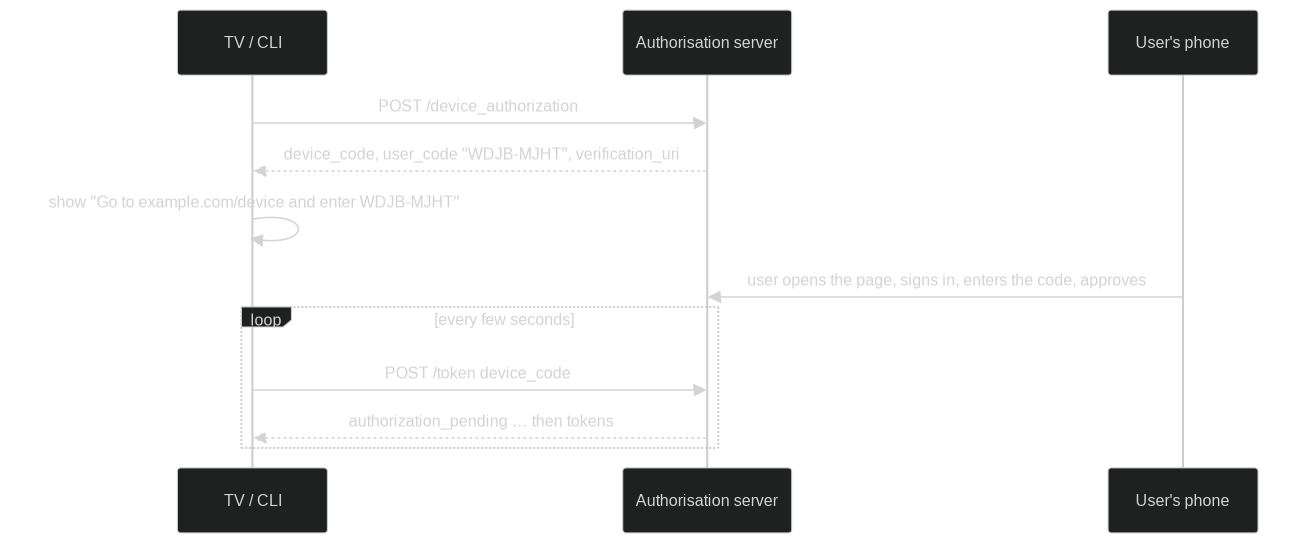
Diagram source
sequenceDiagram
  participant D as TV / CLI
  participant AS as Authorisation server
  participant P as User's phone
  D->>AS: POST /device_authorization
  AS-->>D: device_code, user_code "WDJB-MJHT", verification_uri
  D->>D: show "Go to example.com/device and enter WDJB-MJHT"
  P->>AS: user opens the page, signs in, enters the code, approves
  loop every few seconds
    D->>AS: POST /token device_code
    AS-->>D: authorization_pending … then tokens
  end
Used by smart TVs, gh auth login, cloud CLIs. Show the code clearly and expire it in minutes.
The lineup: which flow for which client #
| Client | Flow | Client type | Where tokens live |
|---|---|---|---|
| Server-rendered web app | Code + PKCE | Confidential (has a secret on the server) | Server; browser gets a session cookie |
| SPA with a backend-for-frontend | Code + PKCE, run by the BFF | Confidential | BFF; browser gets a cookie |
| SPA without a backend | Code + PKCE in the browser | Public (no secret) | Memory; refresh tokens rotated, short-lived |
| Mobile / desktop app | Code + PKCE via the system browser (not an embedded web view) | Public | Keychain / Keystore |
| Backend to backend | Client credentials | Confidential | Memory |
| TV, CLI, IoT | Device authorization | Public | Device storage |
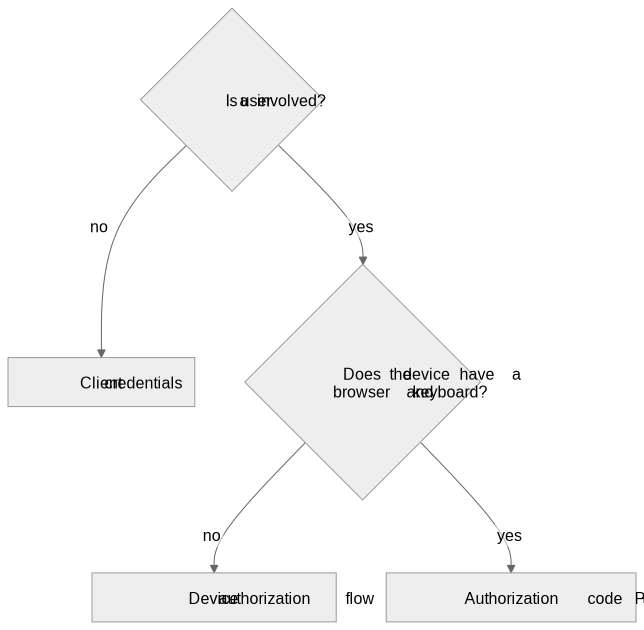
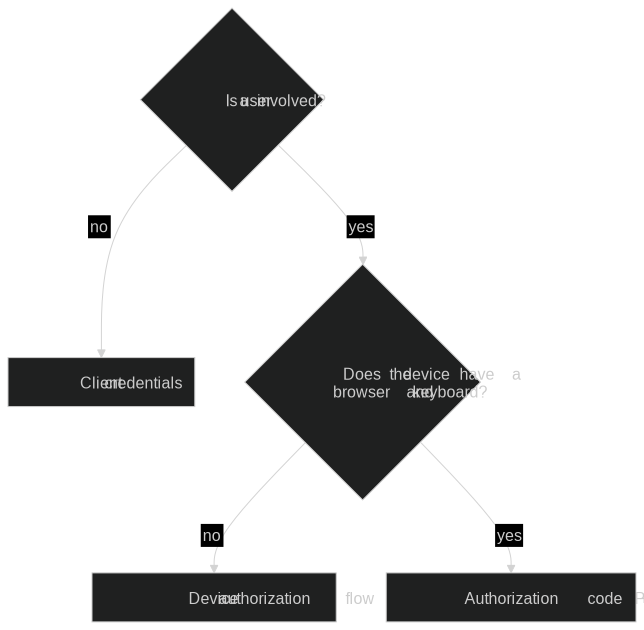
Diagram source
flowchart TD
  Q1{"Is a user involved?"}
  Q1 -->|no| CC["Client credentials"]
  Q1 -->|yes| Q2{"Does the device have a browser and keyboard?"}
  Q2 -->|no| DF["Device authorization flow"]
  Q2 -->|yes| PK["Authorization code + PKCE"]
OAuth vs OIDC, in one table #
| OAuth 2.0 | OpenID Connect | |
|---|---|---|
| Purpose | Delegated access to an API | Sign-in: who the user is |
| Main artefact | Access token (for the API) | ID token (for the app), a signed JWT with sub, email, iss, aud |
| Typical scope | orders:read, repo |
openid profile email |
| Mistake to avoid | Using an access token as proof of identity in your app | Sending the ID token to APIs as if it were an access token |
Remember this
- A user means code + PKCE, always.
- PKCE: publish a hash first, reveal the secret only at the token exchange.
- OAuth grants access to APIs, OIDC says who signed in.
What I’d do on Monday #
- Code + PKCE for every user-facing client; client credentials for services; device flow for TVs and CLIs.
- Use a certified library or a managed identity provider; don’t hand-roll token endpoints.
- Exact redirect URIs,
stateandnonce, short-lived access tokens, rotating refresh tokens (access and refresh tokens case). - System browser on mobile, never an embedded web view for sign-in.
- Validate ID tokens fully: signature,
iss,aud,exp,nonce.
The people who refined these flows saw each attack coming and closed it with a small, specific step. Knowing why each step is there turns OAuth from a ritual into a design you can reason about, and every odd-looking parameter into a clue that was always pointing at the answer.
Comments
No comments yet.
Sign in to comment. We'll email you a link; no password needed.